Quality of Life: Storefront Builder
In our latest update, we're releasing one of the most-requested features to the storefront builder alongside many other builder-specific improvements.
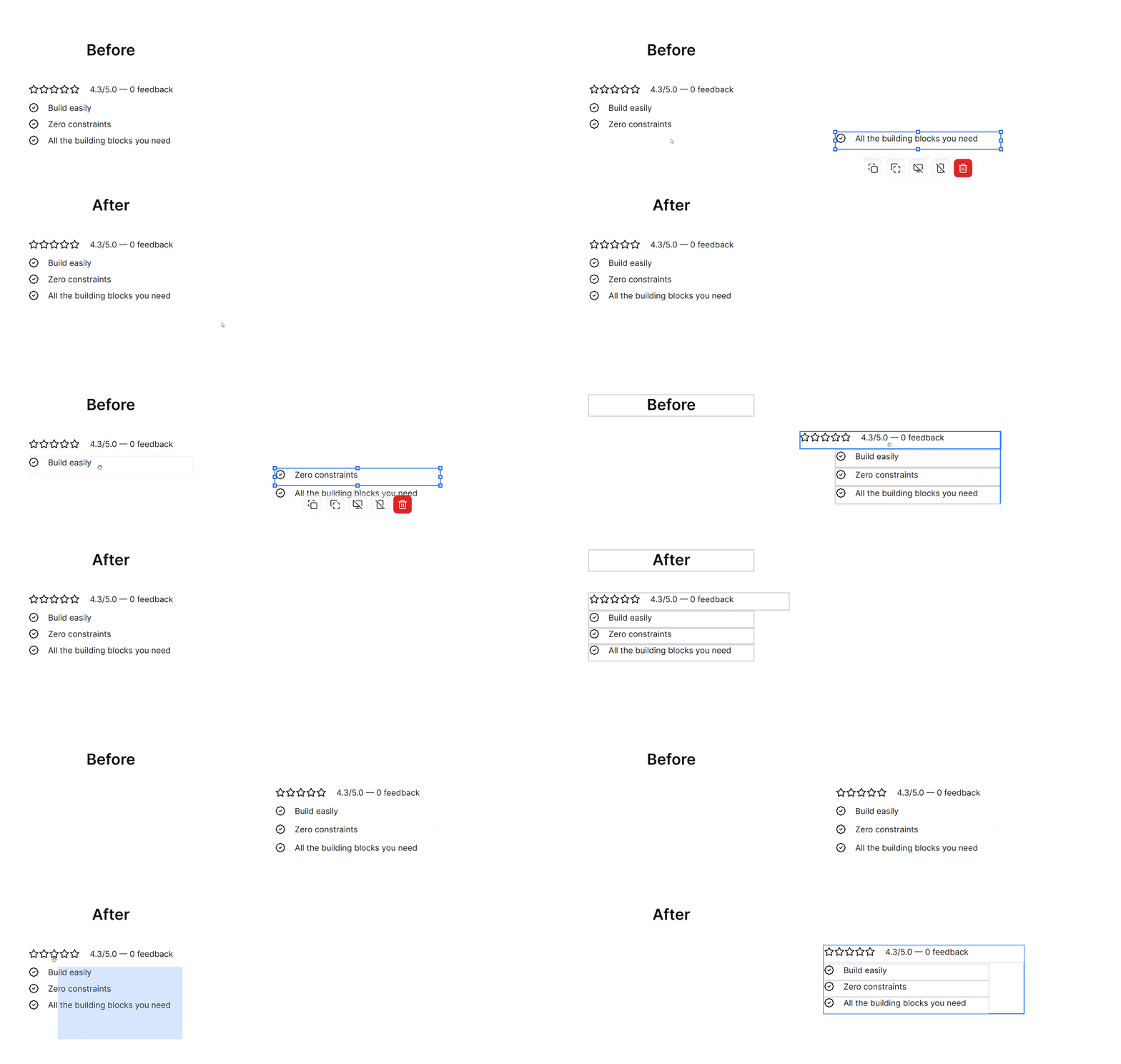
Starting today, you can seamlessly select multiple blocks and move them around as a combined block. Simply click and drag over a set of blocks, or hold down the SHIFT key while clicking the relevant blocks.
Not only does this make it considerably easier to interact with the storefront builder, but it also opens up more possibilities alongside the other improvements that have just been shipped.
Updates
- Multi-select: Click & drag, or SHIFT + click, to select multiple blocks at the same time.
- Improved editor: The storefront builder experience has been upgraded. What you see now in the builder, is exactly what will be shown in your published storefront.
- Customizable buttons: Button blocks have been improved considerably, now you can adjust both their height and size without any limitations.
- Icons: There were some issues with icon variants, which prevented them from being displayed in the published version. This has been fixed now.
- Premade Sections V2: To reiterate last Friday's update, we've populated the storefront builder with a new batch of premade sections.
Combined, this update will elevate your experience with the storefront builder considerably, making it that much easier to build a completely customizable storefront without touching a single line of code.
Happy Selling!