 SellApp
Control
Program toggle and approval flow
Turn the program on in a click and decide whether new affiliates are reviewed or auto-approved.
Built-In Feature
Affiliates done right. Launch a comprehensive affiliate program with SellApp’s in-house affiliate functionality and let your community promote your products for commission.
Control
Turn the program on in a click and decide whether new affiliates are reviewed or auto-approved.
Payouts
Set affiliate-specific or product-specific commissions and keep only the payout methods you want enabled.
Visibility
The built-in dashboards keep the full affiliate loop in one place instead of splitting it across tools.
Affiliate settings
This page should show the feature itself. The old screenshot did that better than a fabricated mock.
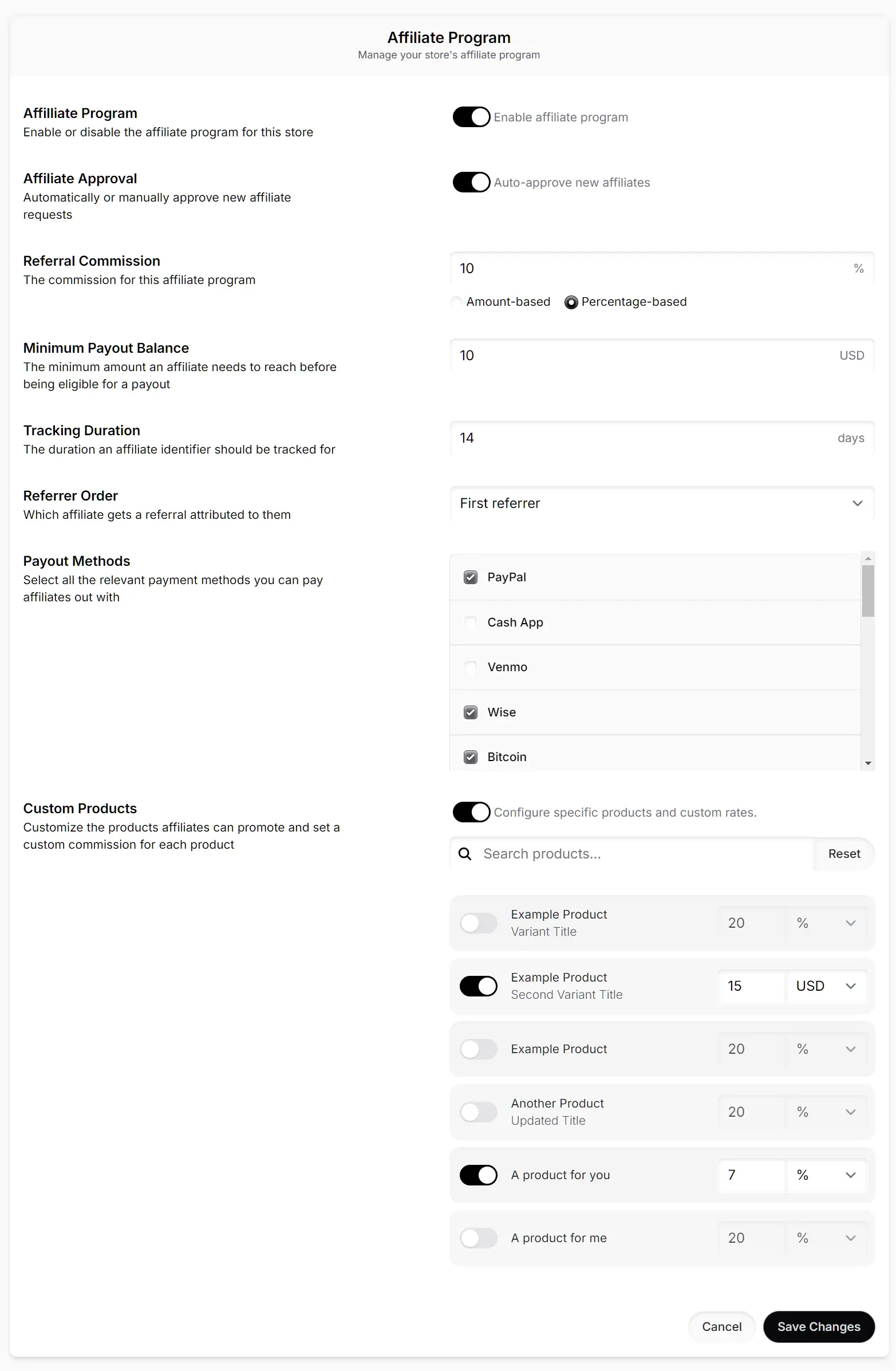
Manage the affiliate program from the same product you already use for products, checkout, and payouts.
What you get
This is the concise product story from the original page, cleaned up rather than rewritten into category content.
Turn your affiliate program on and off with the click of a toggle.
Automatically approve new affiliate requests as they come in.
Set and configure affiliate-specific and product-specific commission rates.
Create a coupon that is tied to an affiliate for easier attribution and tracking.
Only enable the payout methods that make sense for how you want to pay affiliates.
Use affiliate, referral, and payout dashboards to manage the full program in one place.
Documentation
The affiliate docs explain how the built-in program works, how requests are handled, and how referrals get tracked.
Start the program, set commission rules, and let partners promote the same products you already sell on SellApp.