 SellApp
Per product
Fine-grained community rules
Each product can point at a different community and different role setup.
Built-In Feature
Automatically add customers to the community of your choosing and optionally grant roles after purchase. SellApp keeps access rules connected to products and storefront sales.
Per product
Each product can point at a different community and different role setup.
Post-purchase
Add buyers after purchase and remove access automatically after disputes or subscription loss.
Scale
Run several community destinations from the same store instead of forcing one setup.
Community automation
The original community page showed the product screen and the specific capabilities around it. That is the right approach here too.
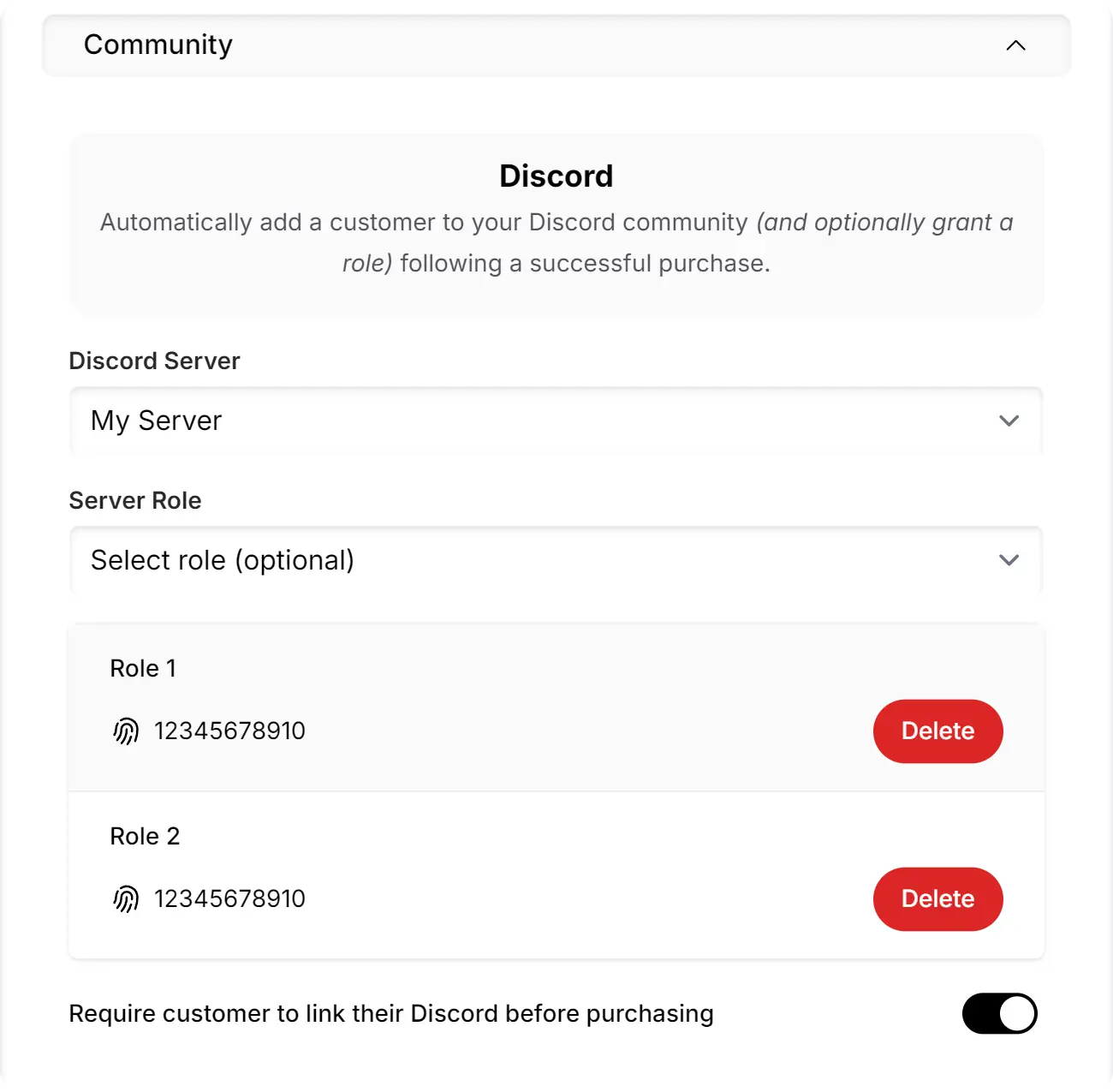
Sell access to communities and keep roles, servers, and storefront sales connected.
What you get
These are the concrete feature points that belong on a showcase page.
Configure communities on the product level so each product can have its own community and role setup.
Automatically grant one or more configurable roles after the customer completes a purchase.
Sell special access or roles through a customizable storefront instead of managing paid entry manually.
Customers can be removed automatically if they dispute payment or lose their subscription.
Link as many community accounts as you need to the store without forcing a one-account ceiling.
Add multiple servers for each account when the store sells access across several communities.
Documentation
The official docs include the walkthrough for configuring the bot and connecting your server.
Connect products to community access, configure the role rules, and let SellApp handle the repetitive post-purchase work.